

Connect Fansly Account
Learn how to securely connect your Fansly account so you can use it with the Fansly API
Why connect your Fansly account?
Connecting your Fansly account is required to access any of the Fansly API features.
This includes, but is not limited to:
- Reading chats and conversations
- Sending messages to fans
- Accessing account and engagement statistics
- Getting fans and subscription data
- Following or Unfollowing users
- Getting webhook events
- Any other endpoint that requires authenticated Fansly access
Without a connected account, API usage is Very limited.
Fansly Api currently supports one secure method for connecting your Fansly account.
- Automated login flow (email & password) — captcha and 2FA supported (Recommended)
Automated Login Flow (email & password)
This is the fastest and most reliable way to connect your Fansly account.
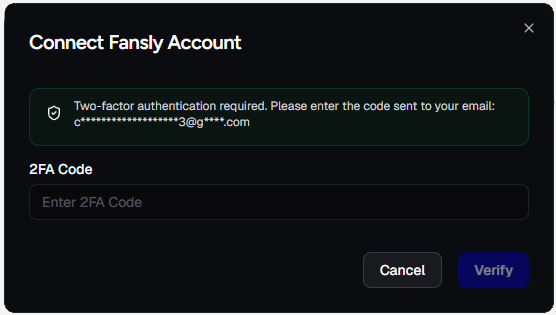
Our system handles captcha challenges automatically and supports two-factor authentication. If 2FA is enabled on your Fansly account, you will be prompted to enter the verification code directly within the Fansly API interface.
All credentials are encrypted and stored securely. They are never shared and cannot be accessed by engineers, support staff, or third parties.
Steps to connect your account
- Open the Fansly API Console -> Accounts
- Click on "+ Connect Account" button
- Enter a name for the account (used only for your internal reference)
- Provide your Fansly email and password
- Select a proxy country (a dedicated mobile IP is automatically assigned), or enter your own proxy details and test it before connecting.
- Click Add to begin the connection process
- Watch the live login progress in real time
- If two-factor authentication is enabled, you'll be asked to enter the 2FA code (email/Phone).
- Once completed, your account will appear as connected and ready for API usage